
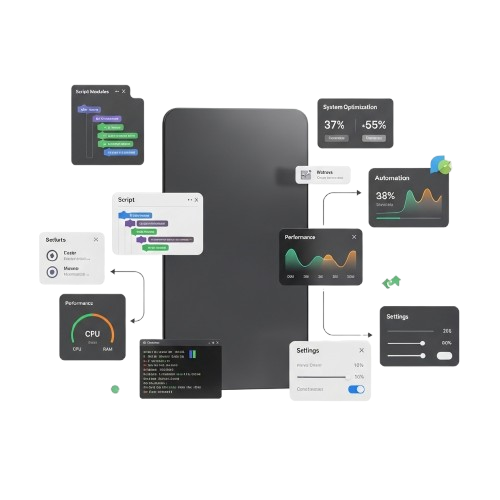

winscript

WinScript – Build, Optimize & Control Windows Easily

WinScript is a powerful Windows automation and scripting tool designed to help users optimize system performance and customize settings with ease. By automating repetitive tasks and simplifying advanced configurations, WinScript allows you to control, enhance, and manage your Windows environment efficiently without complexity.

About WinScript

WinScript is a powerful Windows automation and scripting tool that helps users optimize system performance and customize settings easily. It works directly within the Windows environment without requiring complex configuration or advanced setup.


By simplifying repetitive tasks and system management, WinScript allows you to control settings, automate processes, and improve efficiency. This makes it easier to manage features that would otherwise need manual adjustments.


Designed for flexibility and ease of use, WinScript is ideal for users who need structured control over their Windows system. Its lightweight design ensures smooth performance and a hassle-free automation experience.

WinScript Features

WinScript is a powerful Windows automation and scripting tool that helps you optimize performance, customize system settings, and streamline daily operations with ease. It allows you to automate repetitive tasks, apply smart configurations, and manage system behavior without complex commands, providing a secure and efficient way to gain full control over your Windows experience.

Smart Task Automation

Automate repetitive Windows tasks instantly with structured scripts.

Advanced System Control

Modify system settings and features with precision and safety.

Performance Optimization

Boost Windows speed by removing bloat and tuning services

cript Execution Engine

Run custom scripts smoothly with stable execution support.

Secure Configuration

Apply tweaks safely without harming core system stability.

Modular Script Support

Enable or disable scripts easily based on your needs.

User-Friendly Dashboard

Control all automation tools from a clean interface.

Real-Time Adjustments

Make live system changes without restarting Windows.

Lightweight Architecture

It is lite and Runs efficiently without slowing down your PC.

Why Choose WinScript

WinScript is a reliable and efficient Windows automation tool that allows users to optimize, control, and automate their system safely. Download it from trusted sources to ensure compatibility, security, and uninterrupted performance.

Turbo Task Engine

Automate repetitive Windows tasks quickly, saving time and boosting workflow.

Fortress and Stability

Apply scripts and tweaks safely without compromising Windows stability.

Windows Support

Use WinScript across multiple Windows versions to ensure reliable results.

Modular Script Hub

Create, organize, and manage scripts effortlessly in a centralized dashboard.

Real-Time Enhancements

Make live system adjustments instantly without restarting Windows for fast control.

Featherlight Performance

Runs efficiently with minimal resource, ensuring smooth Windows operation.

How WinScript Works?

WinScript provides fast and secure Windows automation tools to optimize, manage, and control your system efficiently. It runs scripts safely while keeping system stability intact and streamlines repetitive tasks.

Setup WinScript

Install WinScript on your Windows PC and configure it to start automating tasks quickly and safely.

Load Scripts

Select, create, or import scripts within WinScript to perform advanced automation and system tasks.

Execute Tasks

Run scripts instantly to automate workflows, improve productivity, and handle repetitive tasks efficiently.

Monitor & Control

Monitor task execution in real time and manage scripts safely to ensure smooth system operations.

Download WinScript

Download WinScript safely from the official project page or trusted sources. Always use verified downloads to ensure maximum security, full compatibility, and uninterrupted performance. WinScript allows fast, reliable, and precise Windows automation on all supported systems, giving you the freedom to manage and optimize your PC efficiently anytime, anywhere.

Installation Guide

WinScript can be installed and configured quickly in just a few minutes. Follow these clear steps to ensure safe setup, smooth operation, and optimal Windows automation performance. Designed for all users, WinScript provides a fast, lightweight, and reliable automation experience. Always download from official sources to maintain security and full compatibility.

Download Official

Download WinScript from its official source to ensure safe, updated, and fully compatible automation files for your system.

Extract Package

Extract the WinScript package correctly so all scripts, modules, and configuration files function without errors.

Install Prerequisites

Ensure your PC supports required Windows components so WinScript runs smoothly and executes scripts efficiently.

Configure Options

Edit WinScript settings to customize automation rules, script paths, and performance preferences accurately.

Setup Dependencies

Enable necessary system features and adjust permissions so WinScript maintains stable and secure automation.

Start Automating

Launch WinScript on your system and run scripts immediately to begin managing tasks, optimizing workflows, and controlling Windows.

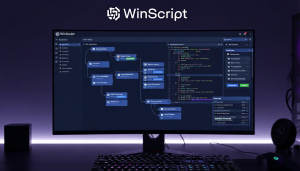
Guide For WinScript

WinScript can be downloaded from its official project page or trusted sources. Always use verified downloads to ensure security, full compatibility, and smooth performance.


What People Think About Us?

Hear from our satisfied users who enjoy fast, reliable, and efficient Windows automation with WinScript. From beginners to advanced users, people appreciate its simplicity, speed, and powerful control features. Discover why WinScript is trusted worldwide for optimizing, managing, and automating Windows tasks effortlessly.

Frequently Asked Questions

WinScript can be downloaded from its official project page or trusted sources. Always use verified downloads to ensure security, full compatibility, and smooth performance.

General

WinScript is a Windows automation tool that helps users optimize, manage, and control tasks efficiently.

WinScript supports multiple Windows versions, including 10, 11, and most editions for consistent automation.

Yes, WinScript has a user-friendly interface designed for both beginners and advanced users.

WinScript offers a free version with essential features, providing reliable automation for all users.

By automating repetitive tasks and optimizing system settings, WinScript enhances speed and efficiency.

Download WinScript only from the official project page or verified sources for security and updates.

Technical Support

Tutorials and guides are available on the official WinScript website and help center.

Use the support page to submit bug reports; the team provides timely assistance.

Yes, feature requests can be submitted via the official site’s feedback or support form.

Yes, WinScript has an online community where users share scripts and automation tips.

Download the newest release from the official page and follow installation instructions.

Restart WinScript, check system requirements, and contact support if the issue persists.

Security

Yes, WinScript is secure and maintains system stability while automating tasks safely.

No, WinScript executes scripts safely and includes safeguards to protect core system files.

WinScript does not collect personal data and keeps all automation processes local and private.

It includes built-in safeguards and testing tools to ensure scripts run correctly without issues.

Yes, official scripts provided by WinScript are tested to ensure safe, reliable automation.

Absolutely, you can export and backup all scripts, settings, and configurations securely.

Billing & Usage

WinScript has a free version with essential features; premium plans unlock advanced tools.

Upgrades can be done through the official website with secure payment options.

WinScript accepts major credit cards, PayPal, and other secure online payment methods.

Yes, subscriptions can be canceled anytime through your account settings on the official site.

Yes, premium users receive regular updates, security patches, and access to new features.

Usage is monitored only for premium account features and billing purposes, ensuring privacy.

Winscript – Build, Optimize, and Control Your Windows Your Way
Build, optimize, and control Windows your way with Winscript. Powerful tools, smart automation, and seamless customization for maximum performance.

Price: Free

Price Currency: $

Operating System: Windows

Application Category: Software

Editor's Rating:
4.7
Scroll to Top